

 By Anita John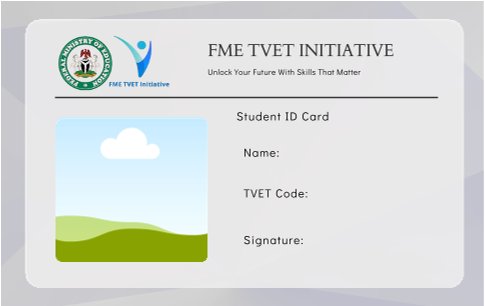
As the training for TVET commences this month across all centres in Nigeria, trainees are expected to fill bio data form that will be sent to them by accredited centre and also download their TVET ID card from their dashboard.
In case you haven’t done so, here is the step-by-step to download your TVET ID card and print:
On a Laptop/desktop
- Login to the portal via: https://www.tvet.education.gov.ng/login
- Enter your phone number as your username and input your password
- If you are using a laptop/desktop, you will find by the top left-hand side two menus: 1. Dashboard and 2. Student resources .
- Click on the student resources
- It will display TVET ID document, click on the download button and print.
On a smartphone
- Use the URL above
- Click on the three lines right beside FME TVET Initiative
- Click “Login” and enter your username (your phone number) and enter your password belo it.
- By top left handside, click on the three lines to display other options
- Click on “TVET ID Document” and download your ID and print.
That’s all.
In Nigeria, TVET stands for Technical and Vocational Education and Training,an initiative of Nigeria’s government which offers tuition-free training, monthly stipends, and start-up support for selected trades.
Join EdubaseNG WhatsApp Channel to get the latest education & student loan tips

Join our Telegram Channel to get the latest news about Student Loans & Education News.

Are you a stakeholder in education? You can become our guest writer. Write to us using our our email address here